Walkthrough
Before you start, the agent’s machine needs agent-secrets-helper serve running, with its operator
(the person who approves for the machine) named in ~/.config/agent-secrets/operator, and
AGENT_SECRETS_URL set to the broker’s address, for the helper and in the shells agents start
from. The video’s machine also sets AGENT_SECRETS_APPROVE_URL to Dispatch’s address, which makes
the commands below print the Dispatch page to open.
Log a machine in sets all of this up.
A narrated tour of one secret request, recorded on example data: the Dispatch workspace’s person is
alice@example.com, the agent’s machine is example-host-build, and the secret, DEMO_API_KEY,
holds a made-up value. The steps below are the ones the video shows, with stills of each Dispatch
page.
1. Log the machine in, once
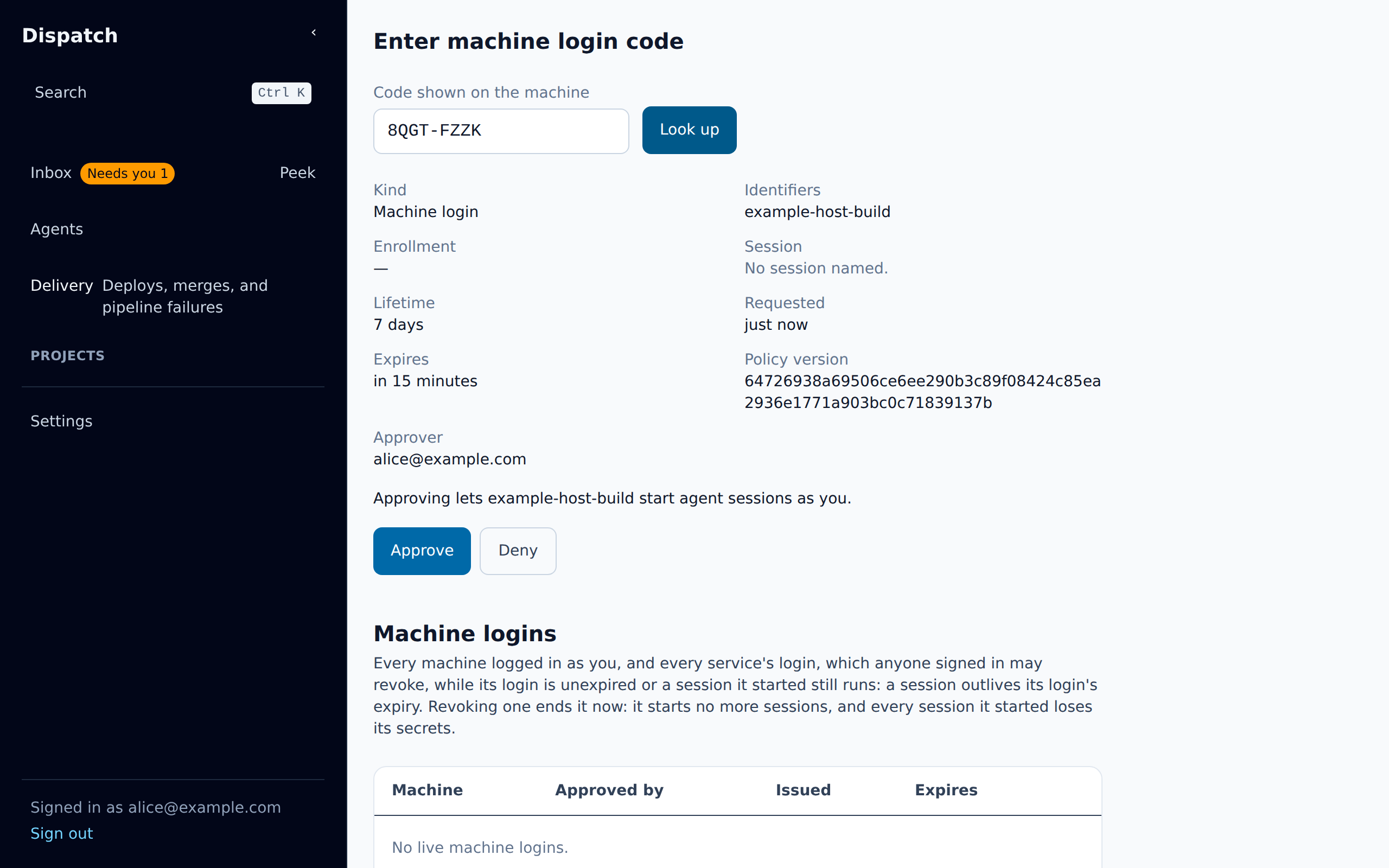
Section titled “1. Log the machine in, once”On the agent’s machine, agent-secrets machine login prints a code and the address of Dispatch’s
machine-login page, /credentials/machine. Alice opens that page, types the code, and checks the
record it finds: a machine login for example-host-build, with her as its approver. She approves
it, the page lists it under Machine logins, where Revoke would end it and every session
it started (end a machine’s login),
and the login on the machine returns. agent-secrets machine login-status checks the machine
login at any time: it prints issued while the machine holds one, and says when that login
expires. The broker does not renew it, so before then a person must approve a new machine login.
2. Start a session
Section titled “2. Start a session”agent-secrets register --wait 10 --exec -- bash registers a session with the machine’s helper,
as an agent’s session is registered when it starts, and runs a shell in it. agent-secrets self
shows the session’s enrollment and its operator, alice@example.com.
3. Ask for the secret
Section titled “3. Ask for the secret”The session asks for the secret to run one command, and says why:
agent-secrets DEMO_API_KEY --reason "Publish the docs preview for PR 42 with the demo API" -- ./check-demo-key.shDEMO_API_KEY is alice’s own secret at the human tier (its tags are owner=alice@example.com and
tier=human), so a request for it waits for her approval, even from her own machine: the command
waits, and names who approves it, alice, and the Dispatch page where she decides it.
4. Approve it
Section titled “4. Approve it”The request is at the top of alice’s Inbox, under Credential requests, and counts toward Needs you beside the sidebar’s Inbox.
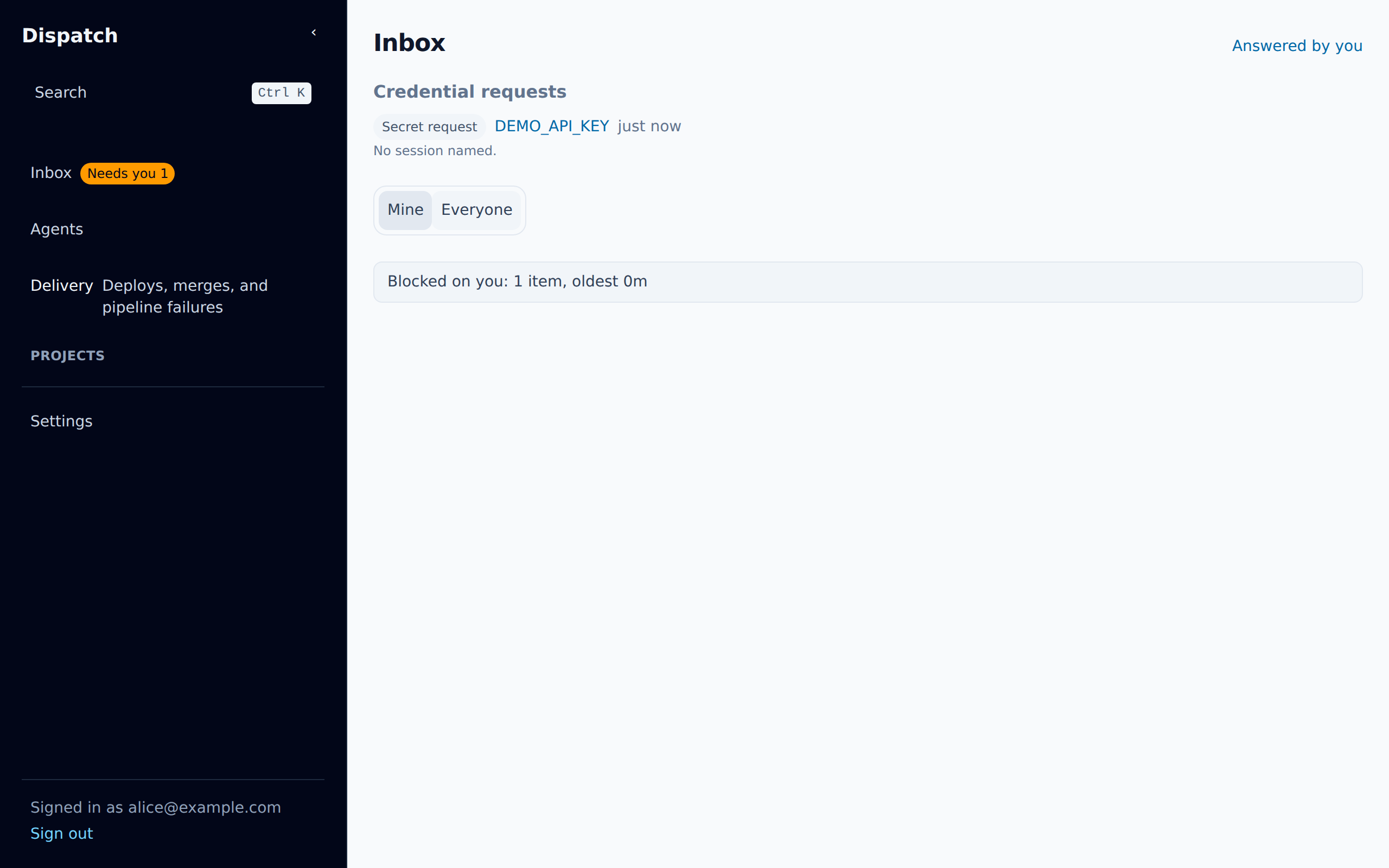
Its page shows what was asked for, by which session, for how long, who may approve it, and the
agent’s stated reason. The request named no --ttl, so its grant lasts until the session ends.
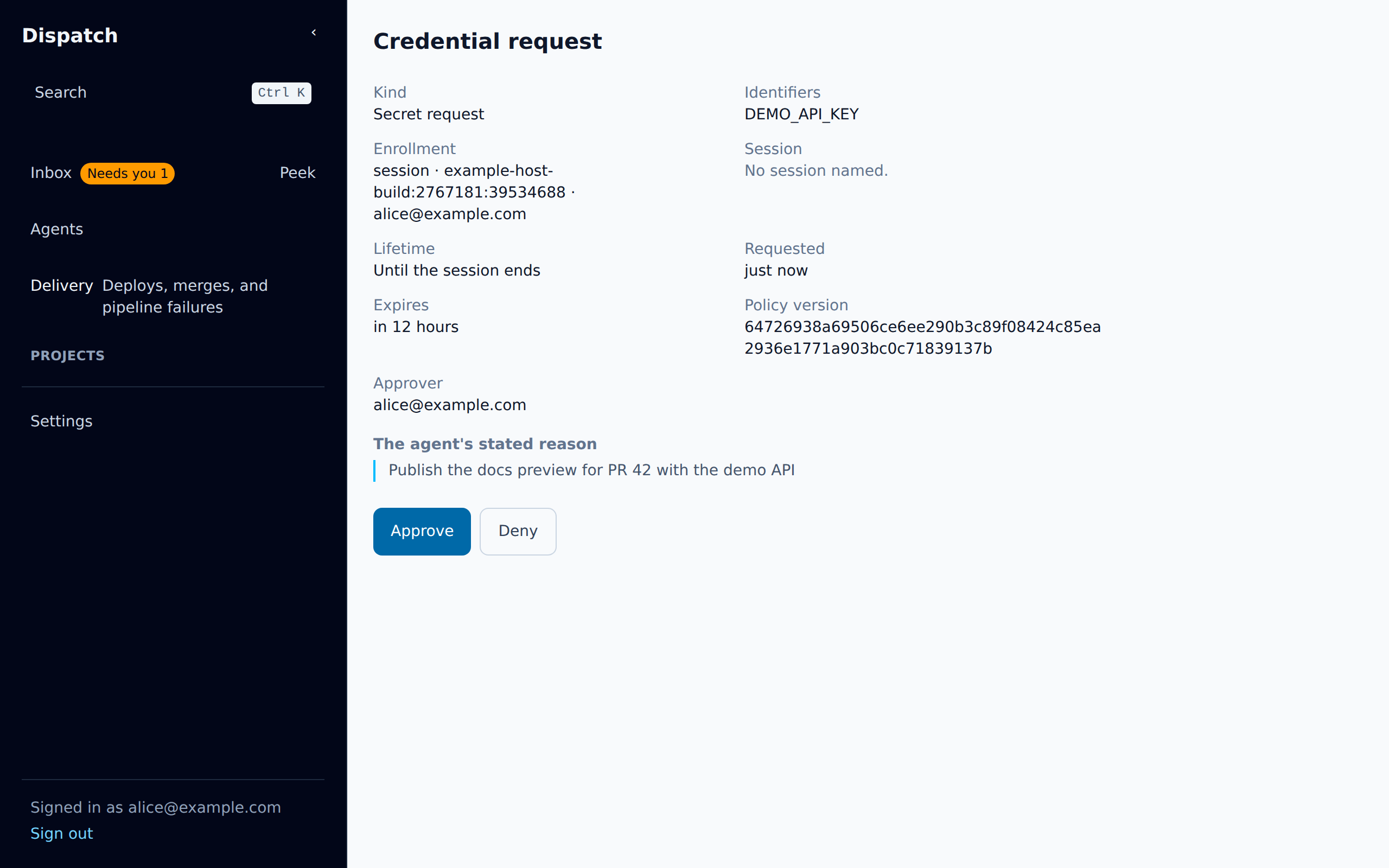
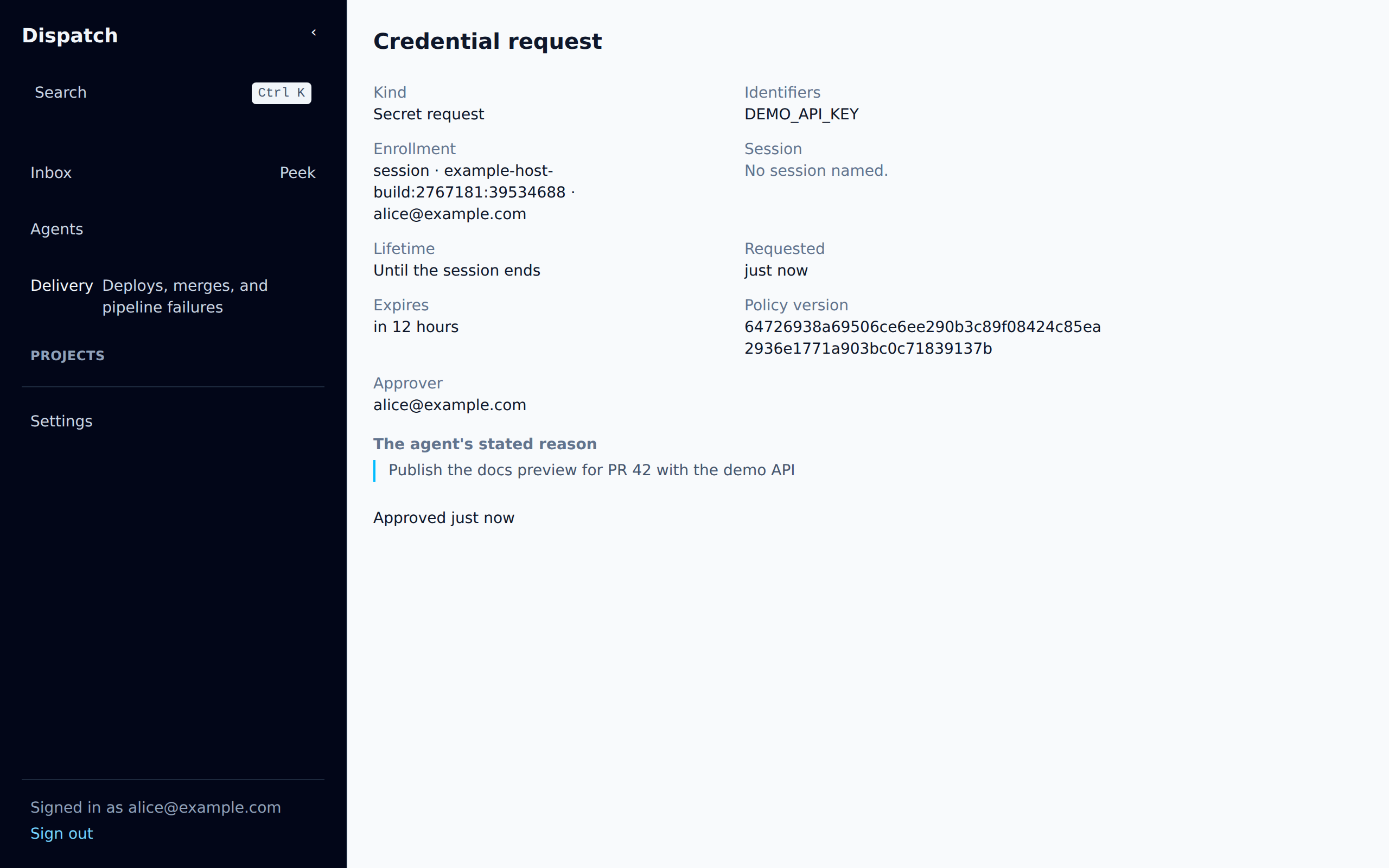
She approves it, and the page records the decision.
5. The command runs
Section titled “5. The command runs”The waiting command checks the broker every few seconds, so it carries on within a few seconds of
the approval (10 at most): it receives DEMO_API_KEY in its environment and runs. The video
shortens that wait, which took 5 seconds in the recording. The demo command prints the key’s length
and last four characters to show it arrived. agent-secrets status <request> names who decided the
request.
6. The live grant
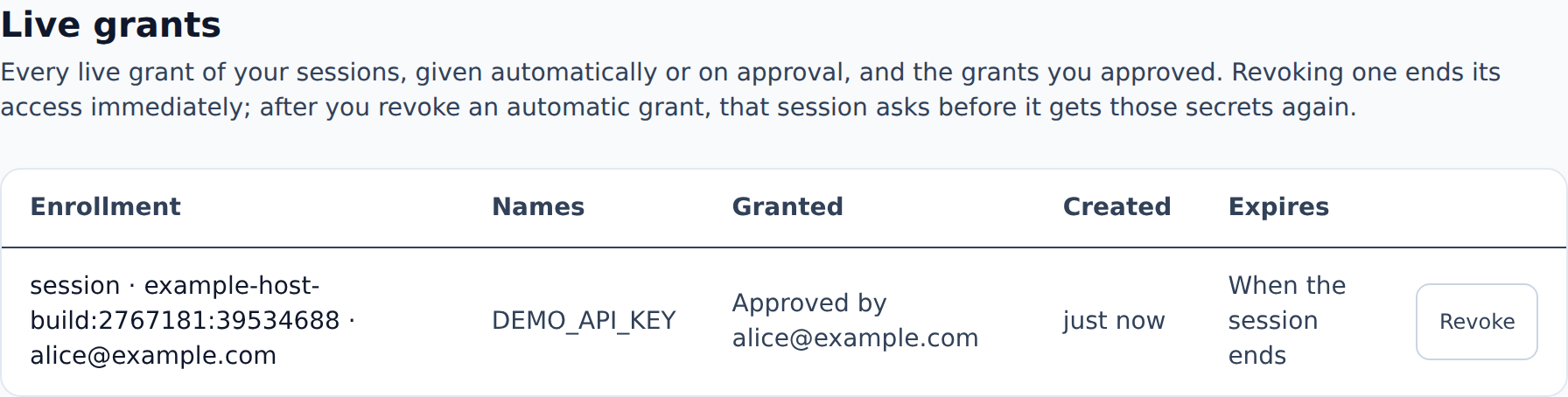
Section titled “6. The live grant”Settings lists the live grants of alice’s sessions, whether granted automatically or approved, and those she approved on anyone’s session, each with its session, how it was granted and when it expires: this one when the session ends. Revoke ends a grant at once; a command already running keeps the value it was given.
The rig that recorded the video and the screenshots, and the scripts that record them again, are in
docs/site/media/broker/.
The Secrets Broker’s introduction says what the broker is for.